Vector vs Raster Mode
compose2pdf supports two rendering modes. Choose the right one for your use case.
| Vector mode | Raster mode |
|---|---|
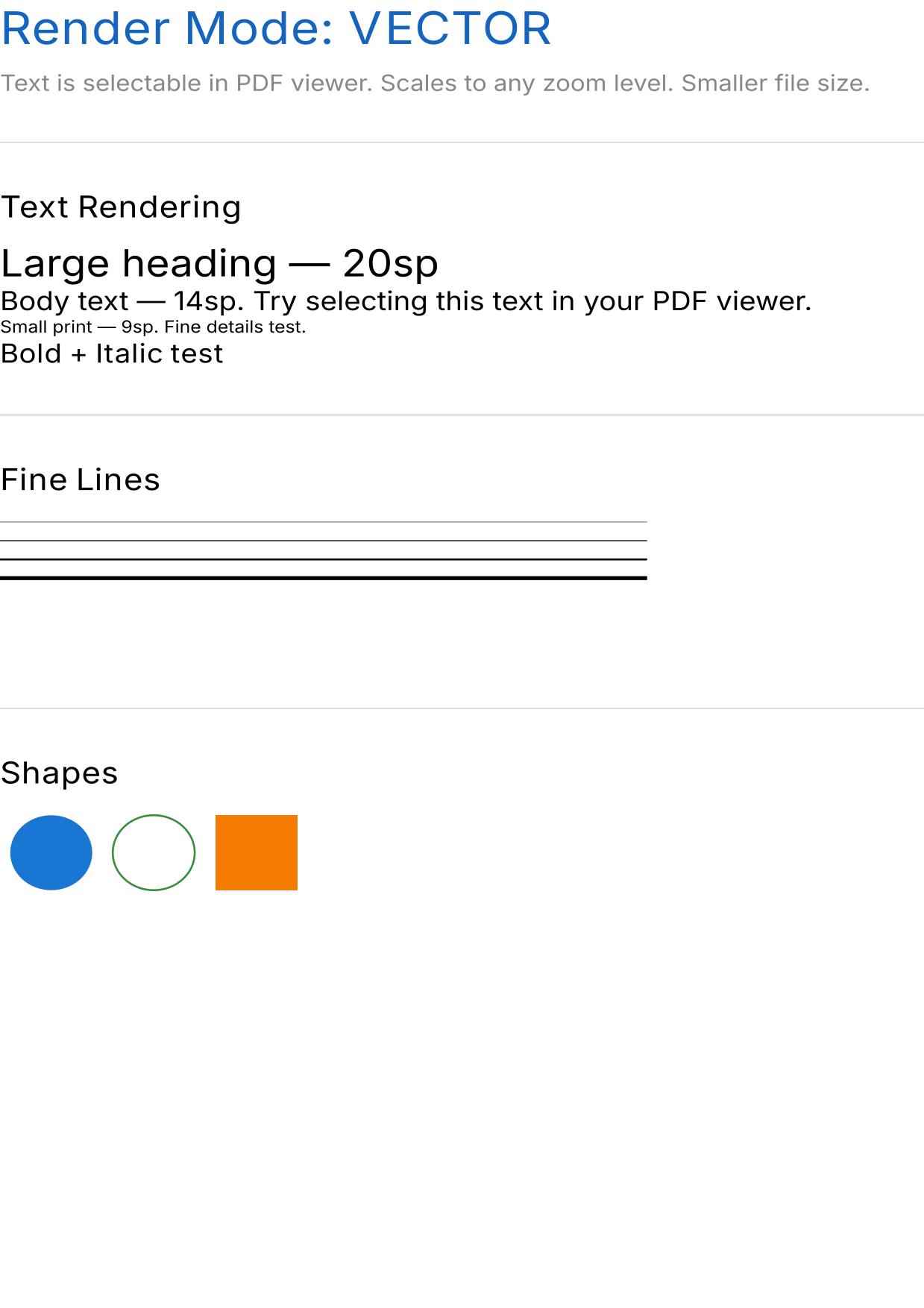 |
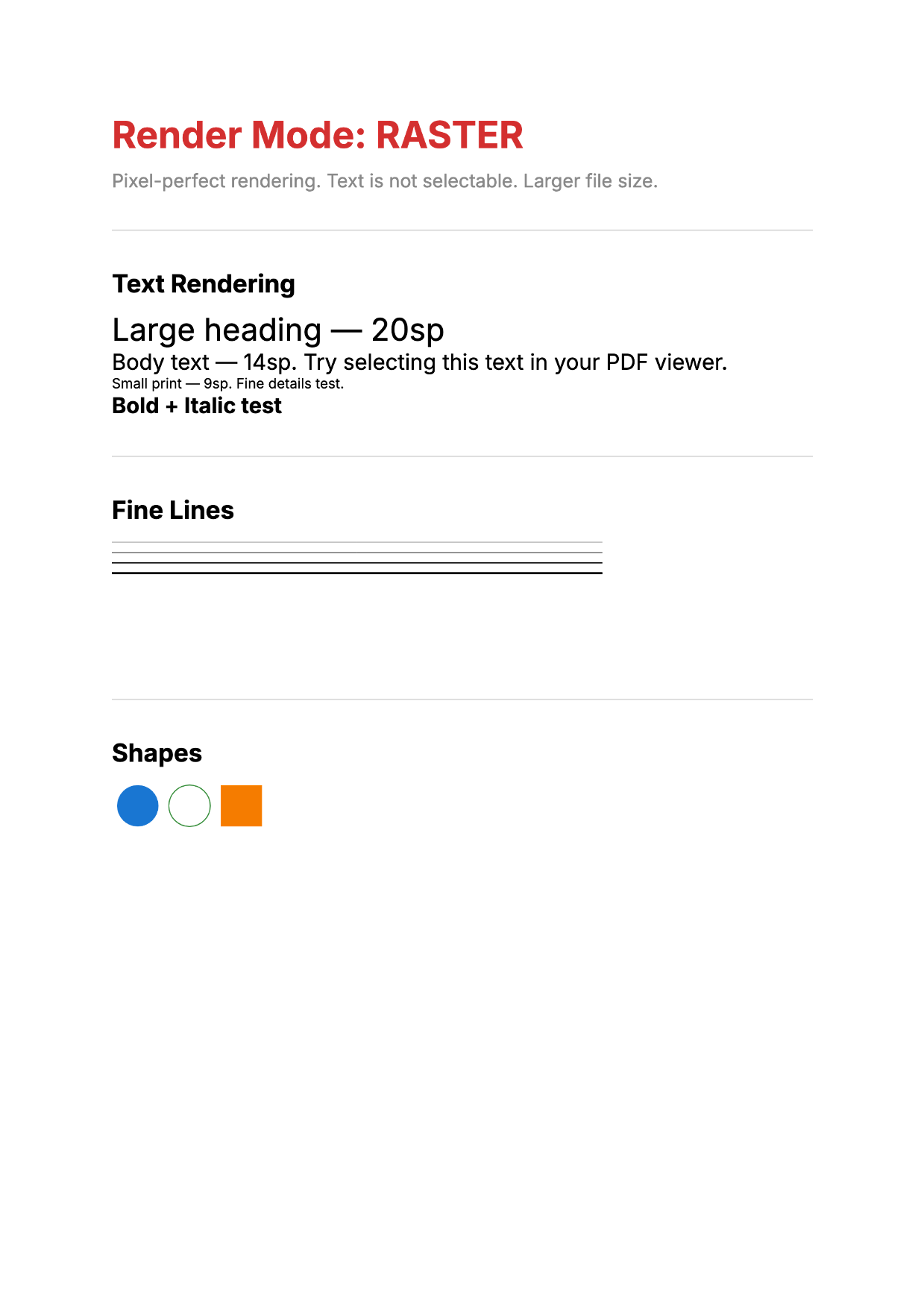 |
| Download PDF (11 KB) | Download PDF (70 KB) |
Comparison
| Feature | VECTOR | RASTER |
|---|---|---|
| Text selectable | Yes | No |
| Scales to any zoom | Yes | No (bitmap) |
| File size | Smaller (10-100 KB typical) | Larger (1-5 MB+) |
| Rendering path | Compose -> Skia -> SVG -> PDFBox | Compose -> Skia -> Bitmap -> PDFBox |
| Font embedding | Yes (automatic subsetting) | N/A (text is pixels) |
| Canvas drawing | Converted to vector paths | Pixel-perfect |
| Link annotations | Yes | Yes |
| Gradients | Limited (not preserved in SVG) | Full support |
Vector mode (default)
val pdf = renderToPdf(mode = RenderMode.VECTOR) {
    Text("Selectable, scalable text")
}
Best for:
- Documents with text (reports, invoices, letters)
- Files that will be printed or zoomed
- Small file sizes
- Text search and accessibility
How it works: Compose content is rendered through Skia’s SVGCanvas, producing an SVG string. The SVG is then converted to PDF vector drawing commands via PDFBox. Text remains as positioned glyphs with embedded fonts.
Raster mode
val pdf = renderToPdf(
    mode = RenderMode.RASTER,
    density = Density(3f),  // Higher density for better quality
) {
    Text("Pixel-perfect rendering")
}
Best for:
- Gradient-heavy content
- Complex visual effects not supported in SVG conversion
- Exact pixel-perfect reproduction needed
- Content where text selection isn’t important
How it works: Compose content is rendered via ImageComposeScene to a bitmap, then embedded as a lossless PDF image.
Density and quality
The density parameter affects both modes differently:
| Density | Vector mode | Raster mode |
|---|---|---|
Density(1f) |
Layout at 1:1 pixels | Low-res bitmap |
Density(2f) (default) |
Good anti-aliasing | Good quality |
Density(3f) |
Slight improvement | High quality |
Density(4f) |
Diminishing returns | Very high quality, large file |
For vector mode, density primarily affects the pixel grid used during Compose layout. Higher density means better sub-pixel positioning and anti-aliasing. The default 2f is a good balance.
For raster mode, density directly controls the resolution of the embedded bitmap. Higher density means more pixels and larger files. Consider 3f for print-quality output.
When to use each
Is text selection important?
  └── Yes → VECTOR

Does the content use gradients?
  └── Yes → RASTER (or simulate gradients in vector mode)

Is file size a concern?
  └── Yes → VECTOR

Need pixel-perfect reproduction?
  └── Yes → RASTER

Default choice → VECTOR
You can mix modes across pages in a multi-page document by rendering each page separately and merging PDFs. For most documents, VECTOR mode is the right choice.
See also
- API Reference: RenderMode – Enum documentation
- Supported Features – Feature matrix by rendering mode
- Troubleshooting – Handling gradient limitations