PDF Link Annotations
Add clickable URLs to your PDFs with the PdfLink composable.
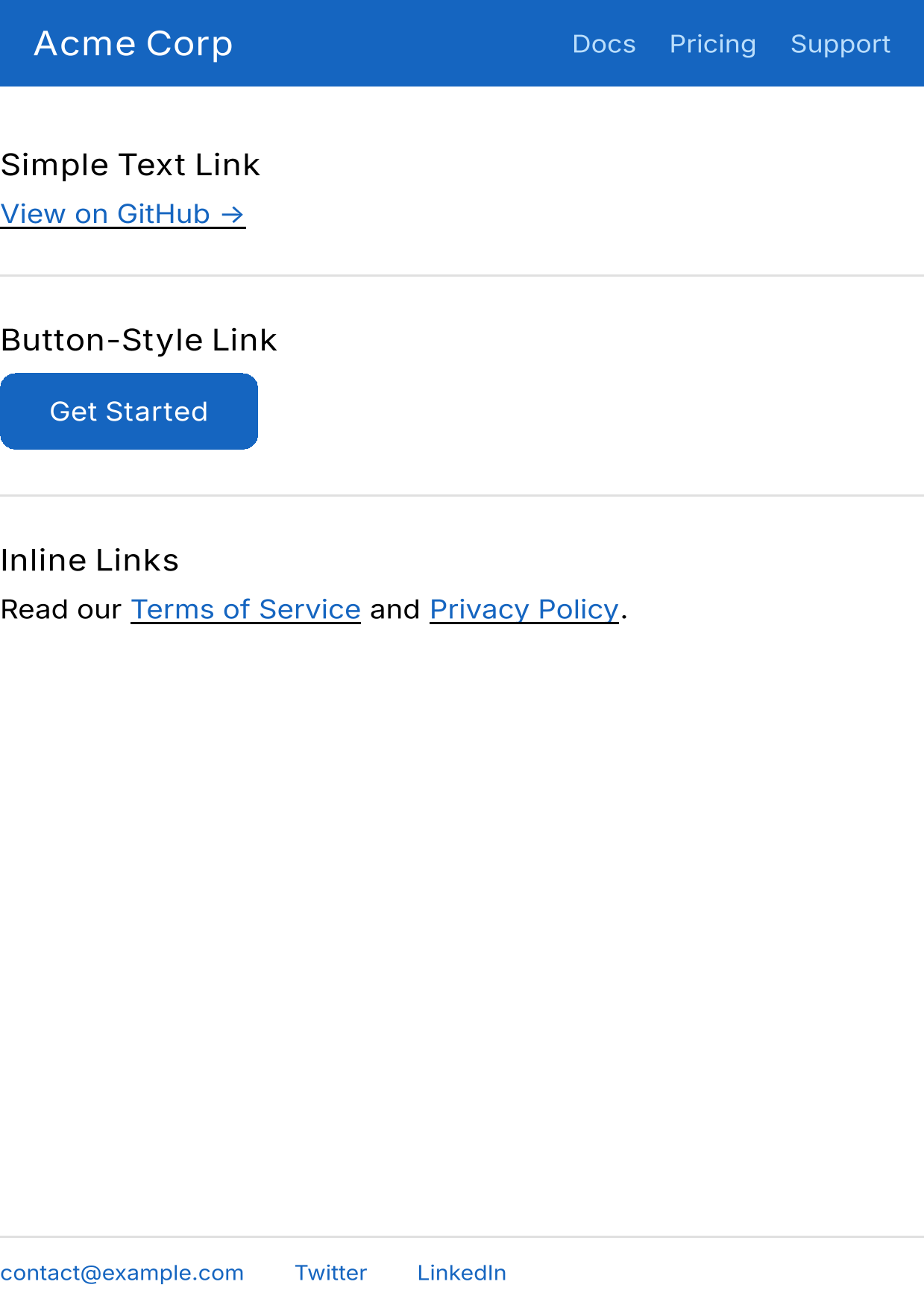 PDF link annotations example — download PDF
Basic text link
PdfLink(href = "https://example.com") {
    Text(
        "Visit Example.com",
        color = Color.Blue,
        textDecoration = TextDecoration.Underline,
    )
}
When the PDF is opened, clicking the text area opens the URL in a browser.
Button-style link
Wrap any content – not just text:
PdfLink(href = "https://example.com/get-started") {
    Box(
        Modifier
            .clip(RoundedCornerShape(8.dp))
            .background(Color(0xFF1565C0))
            .padding(horizontal = 24.dp, vertical = 12.dp),
    ) {
        Text("Get Started", color = Color.White, fontWeight = FontWeight.Bold)
    }
}
Inline links
Mix links with surrounding text using Row:
Row {
    Text("Read our ")
    PdfLink(href = "https://example.com/terms") {
        Text("Terms of Service", color = Color.Blue, textDecoration = TextDecoration.Underline)
    }
    Text(" and ")
    PdfLink(href = "https://example.com/privacy") {
        Text("Privacy Policy", color = Color.Blue, textDecoration = TextDecoration.Underline)
    }
    Text(".")
}
Large clickable area
The entire bounds of the content become the clickable region:
PdfLink(href = "https://example.com") {
    Box(
        Modifier
            .fillMaxWidth()
            .height(80.dp)
            .background(Color(0xFFF0F0F0), RoundedCornerShape(12.dp)),
        contentAlignment = Alignment.Center,
    ) {
        Text("Click anywhere in this box", fontSize = 18.sp)
    }
}
Email links
PdfLink(href = "mailto:contact@example.com") {
    Text("contact@example.com", color = Color.Blue)
}
Navigation links in headers
Row(
    Modifier
        .fillMaxWidth()
        .background(Color(0xFF1565C0))
        .padding(16.dp),
    horizontalArrangement = Arrangement.spacedBy(16.dp),
) {
    PdfLink(href = "https://example.com/docs") {
        Text("Docs", color = Color.White)
    }
    PdfLink(href = "https://example.com/pricing") {
        Text("Pricing", color = Color.White)
    }
    PdfLink(href = "https://example.com/support") {
        Text("Support", color = Color.White)
    }
}
How it works
- During
renderToPdf, aPdfLinkCollectoris provided viaCompositionLocal PdfLinkusesonGloballyPositionedto measure the bounds of its content- After rendering, the collected bounds are converted to PDF coordinates and added as
PDAnnotationLinkobjects with invisible borders - PDF viewers render these as clickable regions
Outside of renderToPdf, PdfLink is a no-op wrapper – safe to use in shared composables that render both on screen and to PDF.
The href parameter must not be blank. An IllegalArgumentException is thrown if you pass an empty or blank string.
See also
- API Reference: PdfLink – Full composable documentation
- Example: Invoice – Links in a real-world document