Shapes and Drawing
Use backgrounds, borders, clips, and Canvas drawing to create rich PDF content.
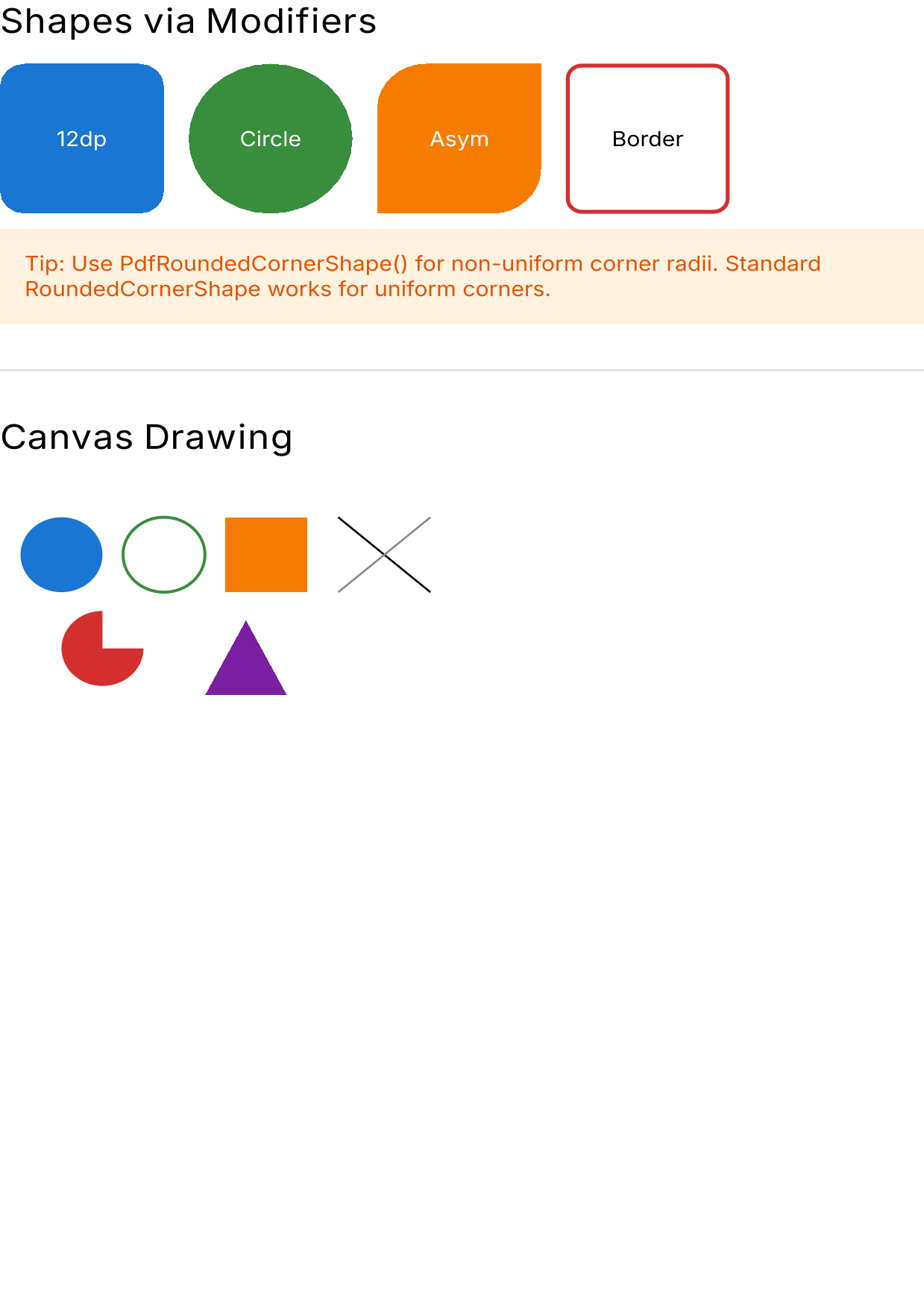 Shapes and drawing example — download PDF
Backgrounds
Box(Modifier.fillMaxWidth().height(60.dp).background(Color(0xFF1565C0))) {
    Text("White on blue", color = Color.White, modifier = Modifier.padding(16.dp))
}
Semi-transparent backgrounds
Box(Modifier.size(100.dp).background(Color.Red.copy(alpha = 0.5f)))
Borders
// Simple border
Box(Modifier.size(100.dp).border(2.dp, Color.Black))

// Rounded border
Box(Modifier.size(100.dp).border(2.dp, Color.Blue, RoundedCornerShape(8.dp)))
Rounded corners
Uniform corners
Standard RoundedCornerShape works perfectly for uniform corners:
Box(
    Modifier
        .size(100.dp)
        .clip(RoundedCornerShape(12.dp))
        .background(Color.Blue)
)
Circle
Box(
    Modifier
        .size(80.dp)
        .clip(CircleShape)
        .background(Color.Red)
)
Non-uniform corners (PdfRoundedCornerShape)
When corners have different radii, use PdfRoundedCornerShape for correct PDF output:
Box(
    Modifier
        .size(100.dp)
        .clip(PdfRoundedCornerShape(topStart = 24.dp, bottomEnd = 24.dp))
        .background(Color(0xFFF57C00))
)
Standard RoundedCornerShape with non-uniform corners will render all corners identically in vector mode. This is a Skia SVGCanvas limitation – it serializes rounded rects as <rect rx ry> which only supports a single radius. Use PdfRoundedCornerShape when corners differ.
Wrapping existing shapes
Use asPdfSafe() to wrap any shape:
val myShape = RoundedCornerShape(topStart = 16.dp, bottomEnd = 16.dp)
Box(Modifier.clip(myShape.asPdfSafe()).background(Color.Green))
Canvas drawing
Use Canvas for custom vector drawing:
Canvas(Modifier.fillMaxWidth().height(200.dp)) {
    // Filled circle
    drawCircle(
        color = Color(0xFF1976D2),
        radius = 40f,
        center = Offset(60f, 80f),
    )

    // Stroked circle
    drawCircle(
        color = Color(0xFF388E3C),
        radius = 40f,
        center = Offset(160f, 80f),
        style = Stroke(width = 3f),
    )

    // Rectangle
    drawRect(
        color = Color(0xFFF57C00),
        topLeft = Offset(220f, 40f),
        size = Size(80f, 80f),
    )

    // Line
    drawLine(
        color = Color.Black,
        start = Offset(330f, 40f),
        end = Offset(420f, 120f),
        strokeWidth = 2f,
    )

    // Arc (pie slice)
    drawArc(
        color = Color(0xFFD32F2F),
        startAngle = 0f,
        sweepAngle = 270f,
        useCenter = true,
        topLeft = Offset(60f, 140f),
        size = Size(80f, 80f),
    )

    // Custom path
    val triangle = Path().apply {
        moveTo(240f, 150f)
        lineTo(200f, 230f)
        lineTo(280f, 230f)
        close()
    }
    drawPath(triangle, Color(0xFF7B1FA2))
}
All Canvas drawing operations are converted to vector paths in the PDF (in VECTOR mode).
Opacity
// Via color alpha
Box(Modifier.size(100.dp).background(Color.Blue.copy(alpha = 0.3f)))

// Overlapping semi-transparent elements
Box(Modifier.size(200.dp)) {
    Box(Modifier.size(120.dp).offset(x = 0.dp).background(Color.Red.copy(alpha = 0.5f)))
    Box(Modifier.size(120.dp).offset(x = 60.dp, y = 40.dp).background(Color.Blue.copy(alpha = 0.5f)))
}
See also
- API Reference: PdfRoundedCornerShape – Full documentation
- Images – Clipping images to shapes
- Supported Features – Complete feature support matrix